
In Vasty, you can create advanced product filters and display them on your Shop page.
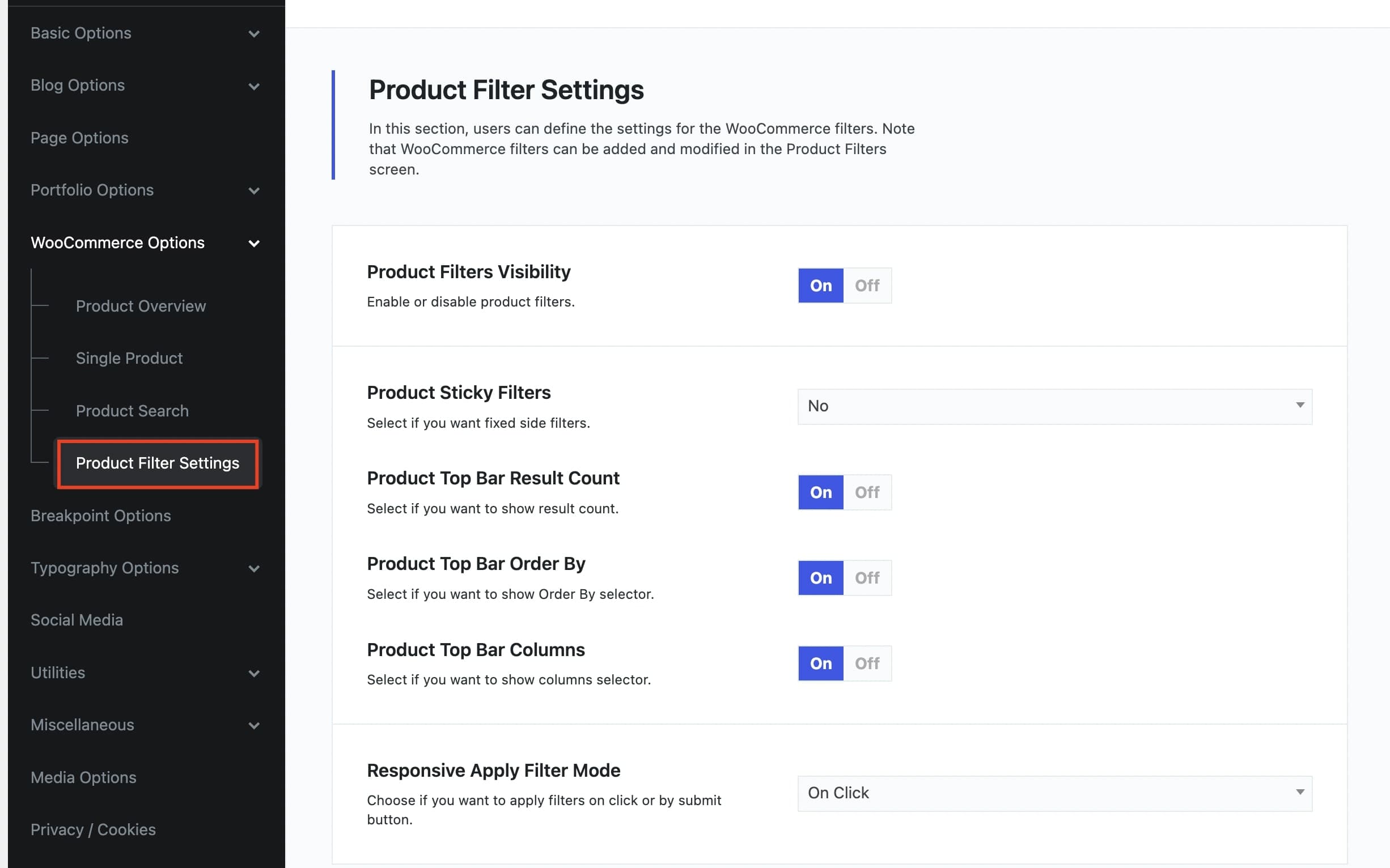
The first step is to enable the advanced filters in Theme Options > WooCommerce Options > Product Filter Settings.
Then, you can set up these filters in Vasty > Product Filters.
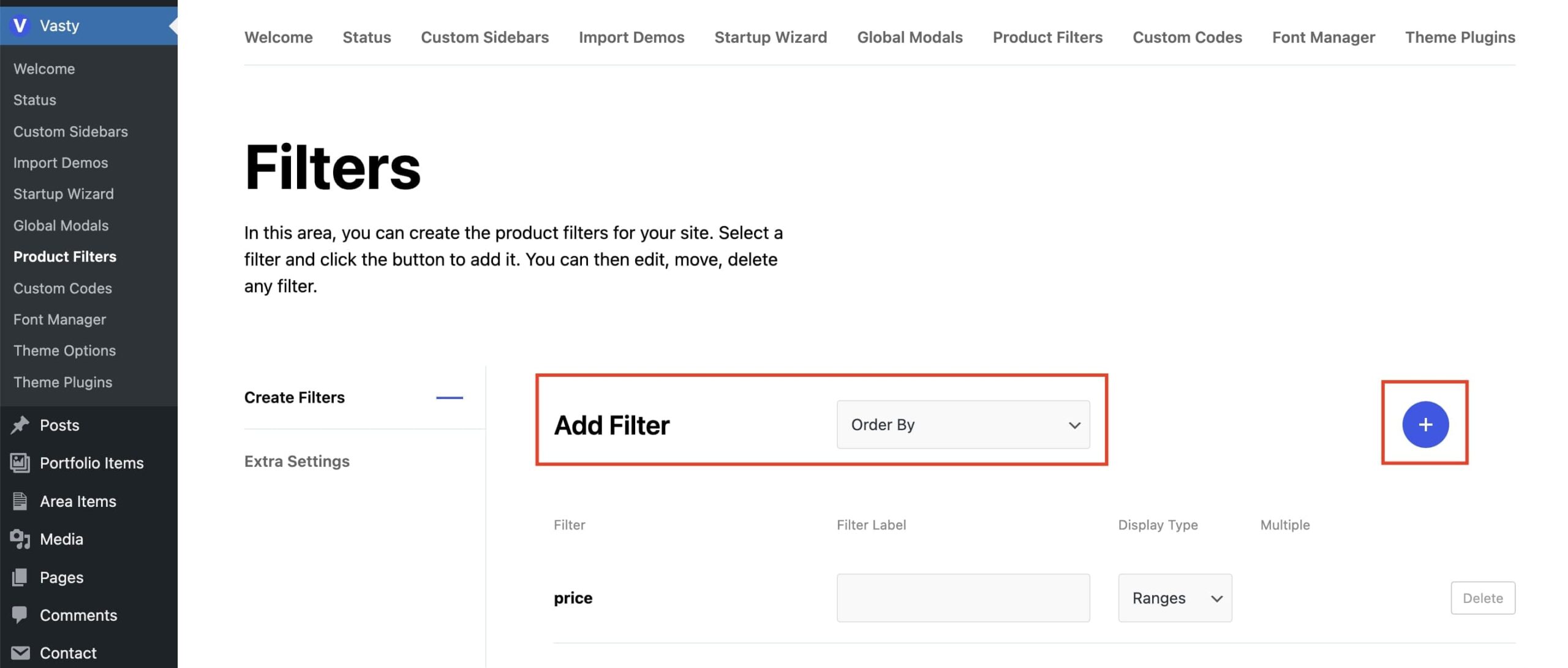
There are six available product filters: Order by, Price, Rating, Status, Product categories, and Product tags.
When you choose a filter, click the “Plus” button to save it. Then, you should add a label name and choose the Display Type you need depending on the filter (Dropdown, Radio buttons, Checkboxes, and List).