
Registering Vasty is quick, and easy, and it provides many benefits as the Import of pre-made websites and sections.
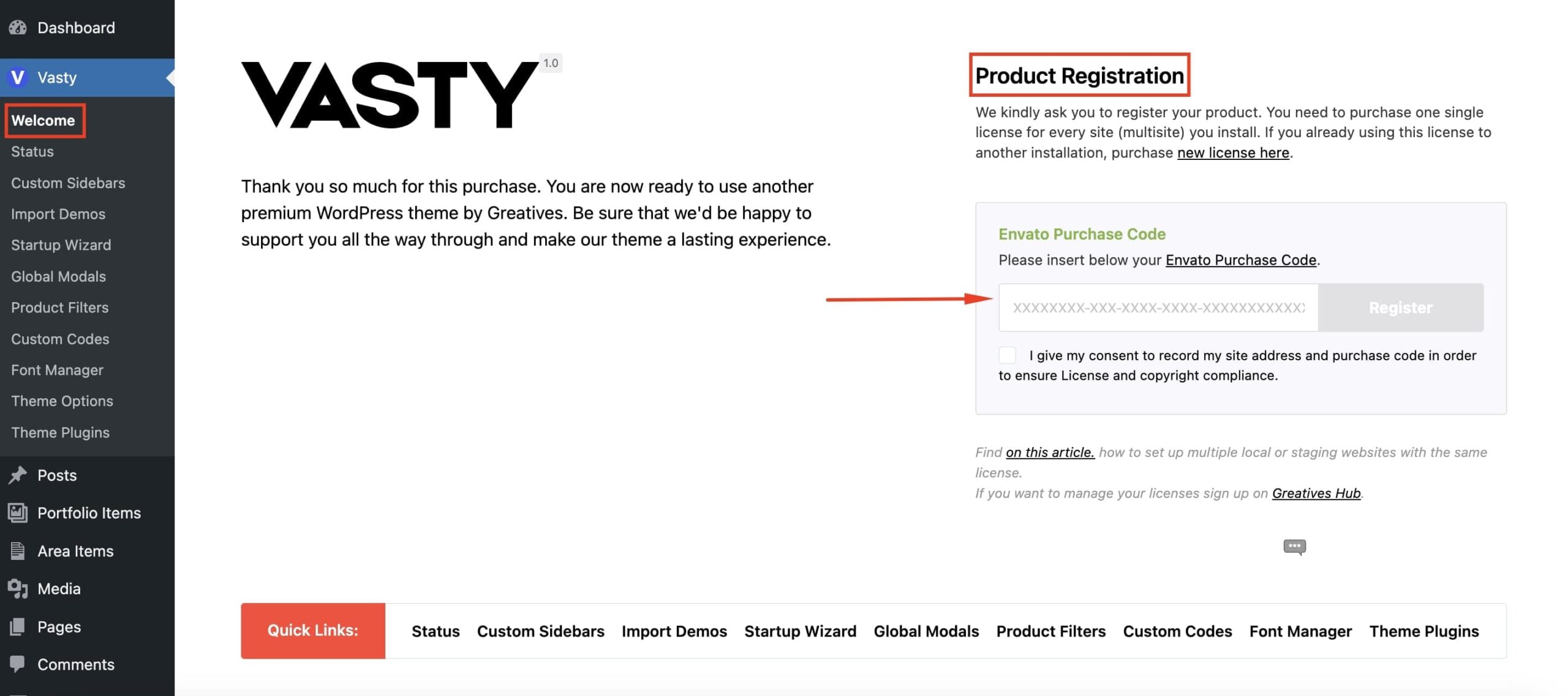
How to register your product
To register your product, navigate to Vasty and look for the Product Registration section. To complete the registration, you will need the Envato Purchase Code.
Where can I find my Purchase Code?
To download your Purchase Code, follow the steps below:
- Access your ThemeForest downloads with the account that was used to purchase Vasty.
- Look for Vasty in your list of purchases, click the Download button, and select ‘License Certificate & Purchase Code’.
- Copy the ‘Item Purchase Code’ into the field ‘Envato Purchase Code’ on the Registration page.
Registration & Licensing Terms
According to Envato licensing terms, you need one separate license per single end product. When you register your product, the domain with the activated theme connects to our API server and validates your Purchase Code for the installation. In this way, you confirm you are compliant with the Envato License and Envato License Terms. Also, all licensing terms are handled by Envato if you need more details. During the registration process, no sensitive information will be fetched from your Envato account.
Manage your Licenses
Once you register the product at your end, you can manage any Vasty licenses you hold on Greatives Hub. When you sign up or log in on the Hub website, you can manage your licenses here. The Greatives Hub is a place to help users come together, collaborate, and manage their Vasty licenses. In case you sign up on Greatives Hub, your Envato information will be visible to our team according to the Hub Privacy Policy.
Can I set up a local or staging website with the same license?
Yes, sure you can set up as many testing(staging) installations as you need. The staging domain must match one of the patterns below. In case your staging domain has another pattern and other users use the same, we’ll be happy to add it to our list.
Staging domains
- *.wpengine.com
- *.flywheelstaging.com
- *.dreamhosters.com
- *.stage.site
- *.kinsta.cloud
- *.pantheonsite.io
- *.myftpupload.com
- *.cloudwaysapps.com
- *.staging.wpmu.host
- *.pressdns.com
- *.wpcomstaging.com
- *.sites.qsandbox.com
- *.runcloud.link
TLDs Top-Level Domains ( domain endings )
- *.local
- *.dev
- *.test
- *.staging
Subdomains ( domain prefixes )
- dev.*
- test.*
- staging.*
- staging-*
- staging[numbers].* (e.g. staging12.example.com)
Local domains
- 127.0.0.1
- localhost