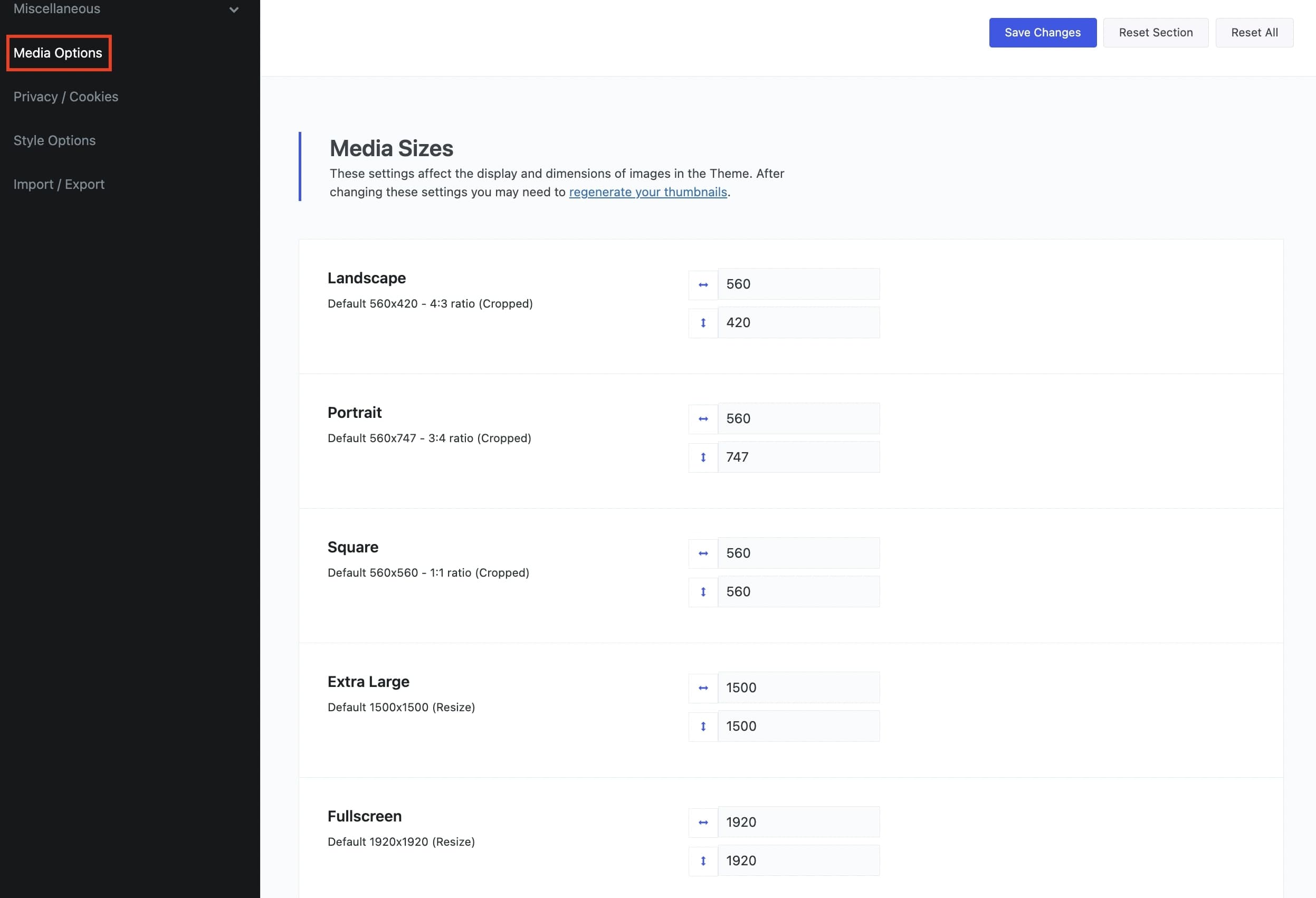
Below you can see the default image sizes from the functions.php file.
Anyone can change these settings under Theme Options > Media Options and use the Regenerate Thumbnails plugin in order to recreate the image sizes.
This is an option that offers any user the flexibility to fully control the image sizes. As anyone can easily understand, the sizes of your images depend on multiple factors, such as your site and elements width, sidebars, and many others. It is up to you!
Of course, no matter the image size someone uploads, the images will be automatically (on the fly) cropped (resized) in the following sizes.
add_image_size( ‘vasty-grve-large-rect-horizontal’, 1390, 782, true );
add_image_size( ‘vasty-grve-small-square’, 560, 560, true );
add_image_size( ‘vasty-grve-medium-square’, 900, 900, true );
add_image_size( ‘vasty-grve-small-rect-horizontal’, 560, 420, true );
add_image_size( ‘vasty-grve-small-rect-vertical’, 560, 745, true );
add_image_size( ‘vasty-grve-medium-rect-vertical’, 840, 1120, true );
add_image_size( ‘vasty-grve-medium-rect-horizontal’, 900, 675, true );
add_image_size( ‘vasty-grve-fullscreen’, 1920, 1920, false );
Control your Background Image Sizes
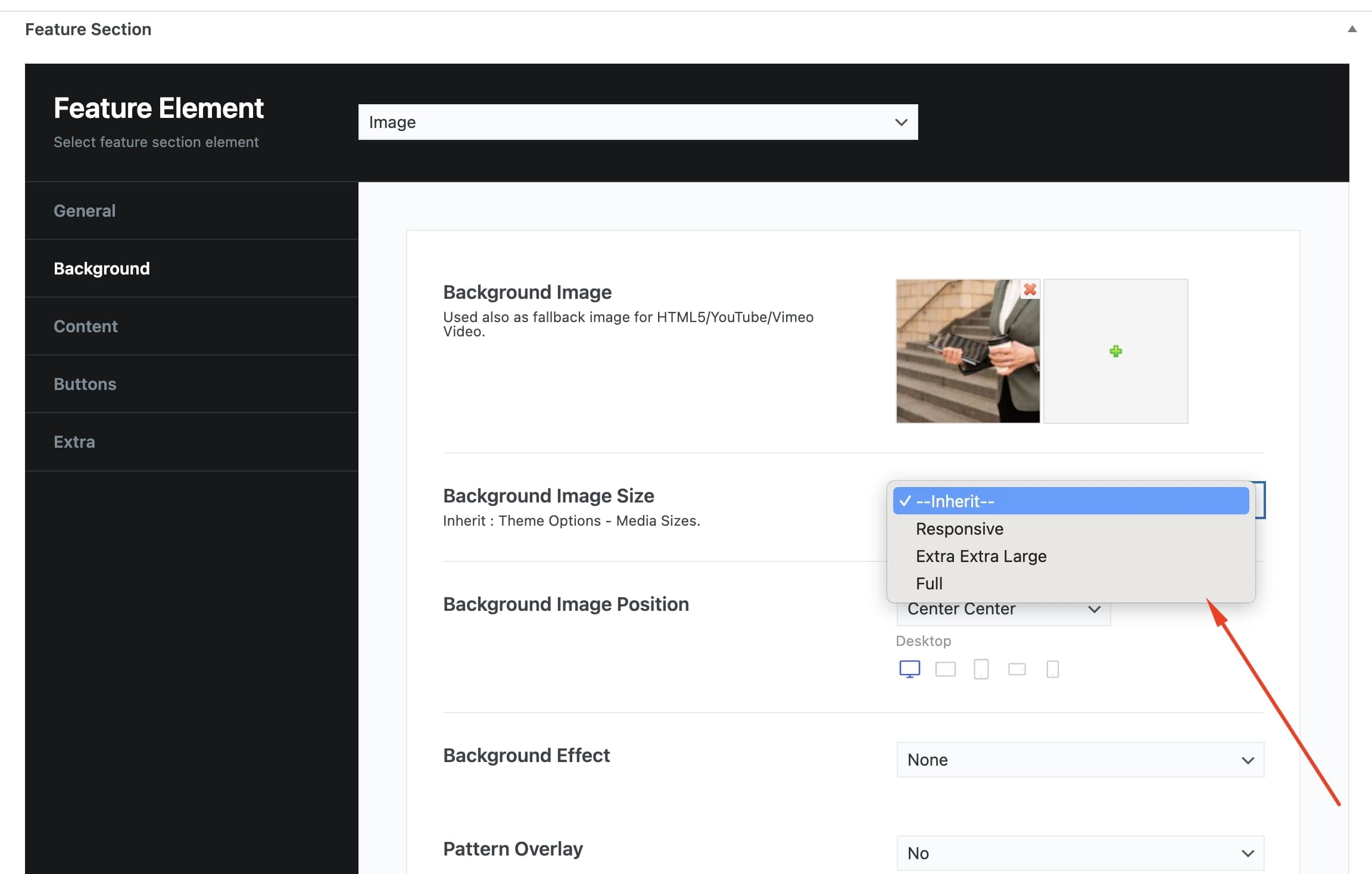
Another amazing feature in Vasty is the way that anyone can control the sizes of the background images in the Feature Section under Theme Options > Media Options. There are 3 available options to select from:
Responsive: Vasty will use smaller images on smaller devices (screens) for better performance.
Extra extra Large: The resized image 1920×1920 will be used on any device and screen.
Full: For users that need to use an image as it is.
Last but not least, anyone can override these options separately in each Feature Section.
Images Lazy Load
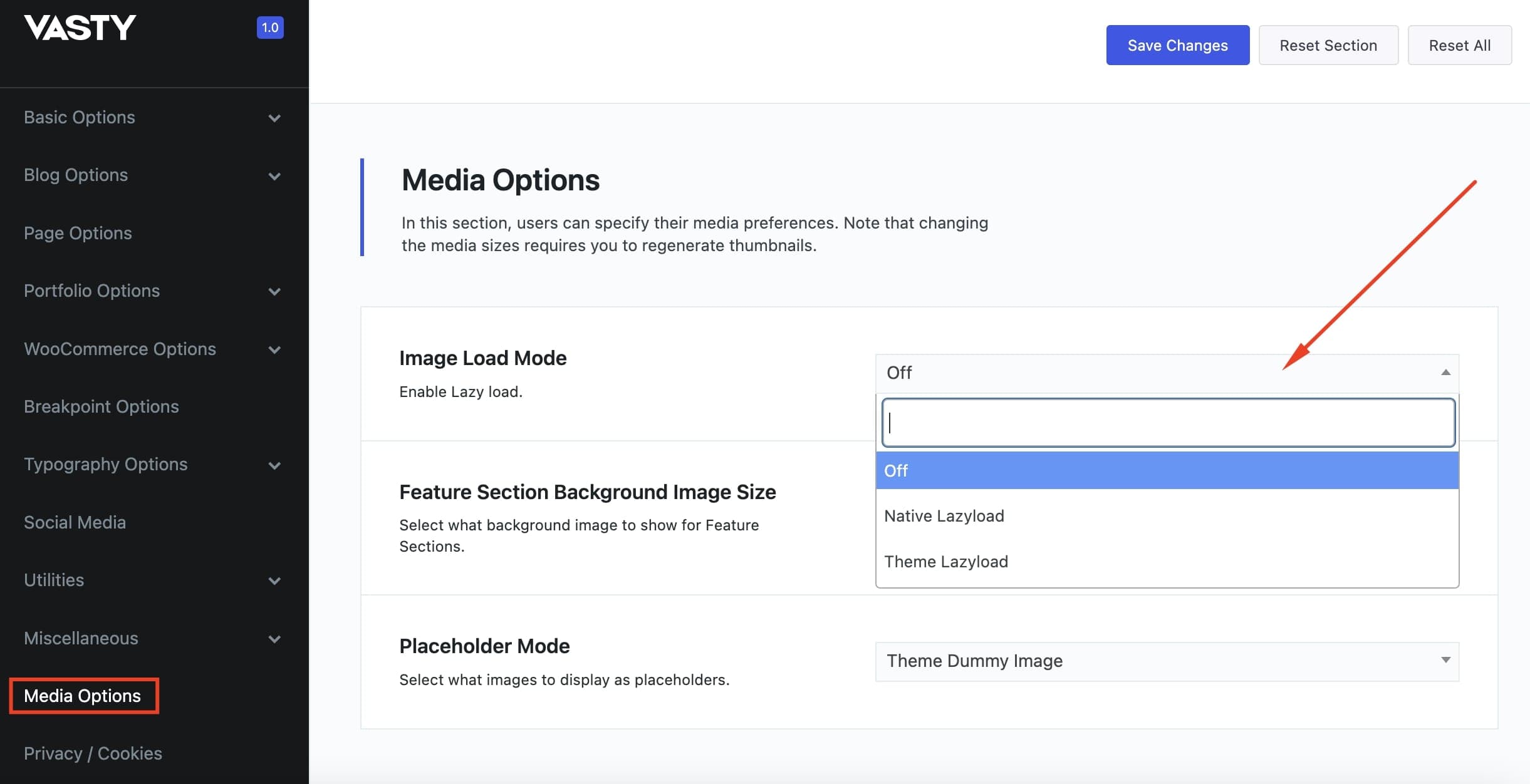
Images are critical for every website and application today. It is simply impossible to imagine a website without images. Sadly though, images are large in size making them the single biggest contributor to the page size and the overall site load. For this reason, almost all images in Vasty can be lazy loaded. A technique that helps improve the page load time and reduce page size while still retaining all the images on the page. Lazy Loading defers the loading of an image that is not needed on the page immediately. An image that is not visible to the user when the page loads, is loaded later when the user scrolls and the image actually becomes visible. If the user never scrolls, an image that is not visible to the user never gets loaded. Vasty offers two ways to image lazy load: Native Lazyload and Theme Lazyload. You will find more information in Images Lazy Load article.
Locate and enable lazy load globally under Theme Options > Media Options.