
Area Item is a custom post type that can be used in several theme components. You can add the content you need with your preferred Page builder or editor (Elementor, Gutenberg). You can simply create and edit the Area Items just like pages.
Also, you can categorize your Area Items based on their usage, and view them all in the ALL tab.
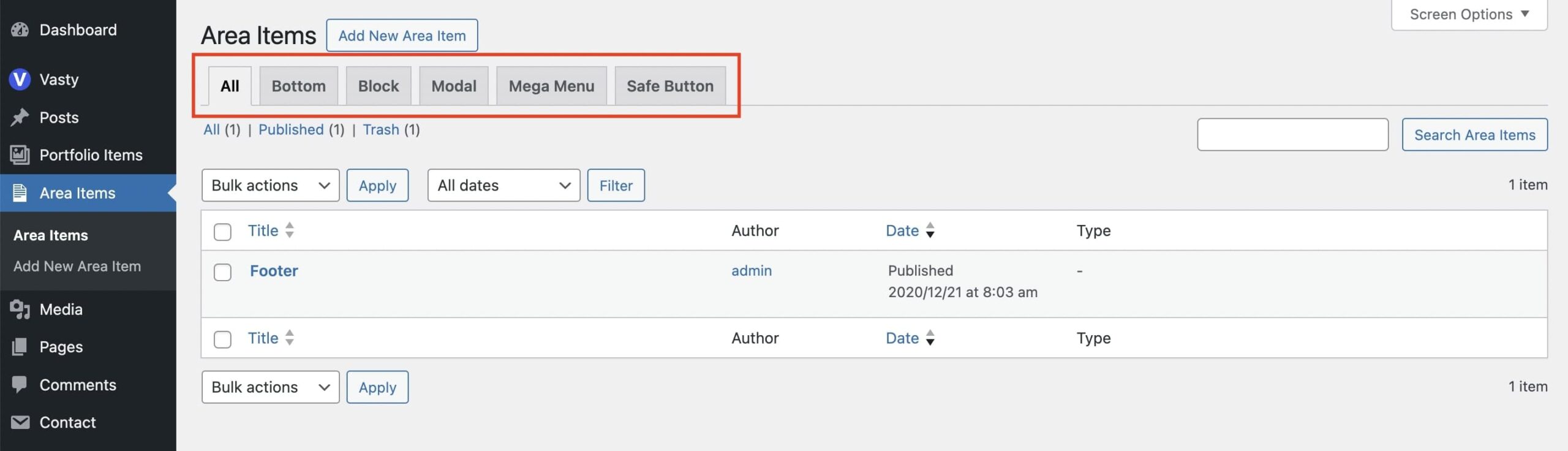
You can create new Area Items from Area Items > Add New in your dashboard.
If you want to use Elementor in Area Items, check this article on how to enable and use it.
Where you can use the Area Items
- Safe Button: Create any Area Items to select from and place in the Safe Button, a unique feature of Vasty. Check this article for more details.
- Bottom Area: Use the Area Items to create the footer you need and place it in the Bottom area. Check this article for more details.
- Custom Mega Menu: Create a Mega Menu with no restrictions. Check this article for more details.
- Block: Area items can be placed in the content areas of any post type (page, post, portfolio etc) via Elementor and GWCore widgets.
- Modals: You can create modal content via Area Item. Check this article for more details.
You can set the Area Items globally and override the initial settings by choosing any area item per page (post, portfolio etc) for the Safe Button and the Bottom Area.