
Keep in mind that we provide lifetime updates and dedicated support so that there are no problems with the new versions of WP. Besides that, Vasty offers new features in every new release. So please, stay updated.
How to update Vasty Theme with 1-click
This is for sure the easiest and fastest way to update Vasty. The first and required step is to install and enable the Envato Market Plugin under Vasty > Theme Plugins tab.
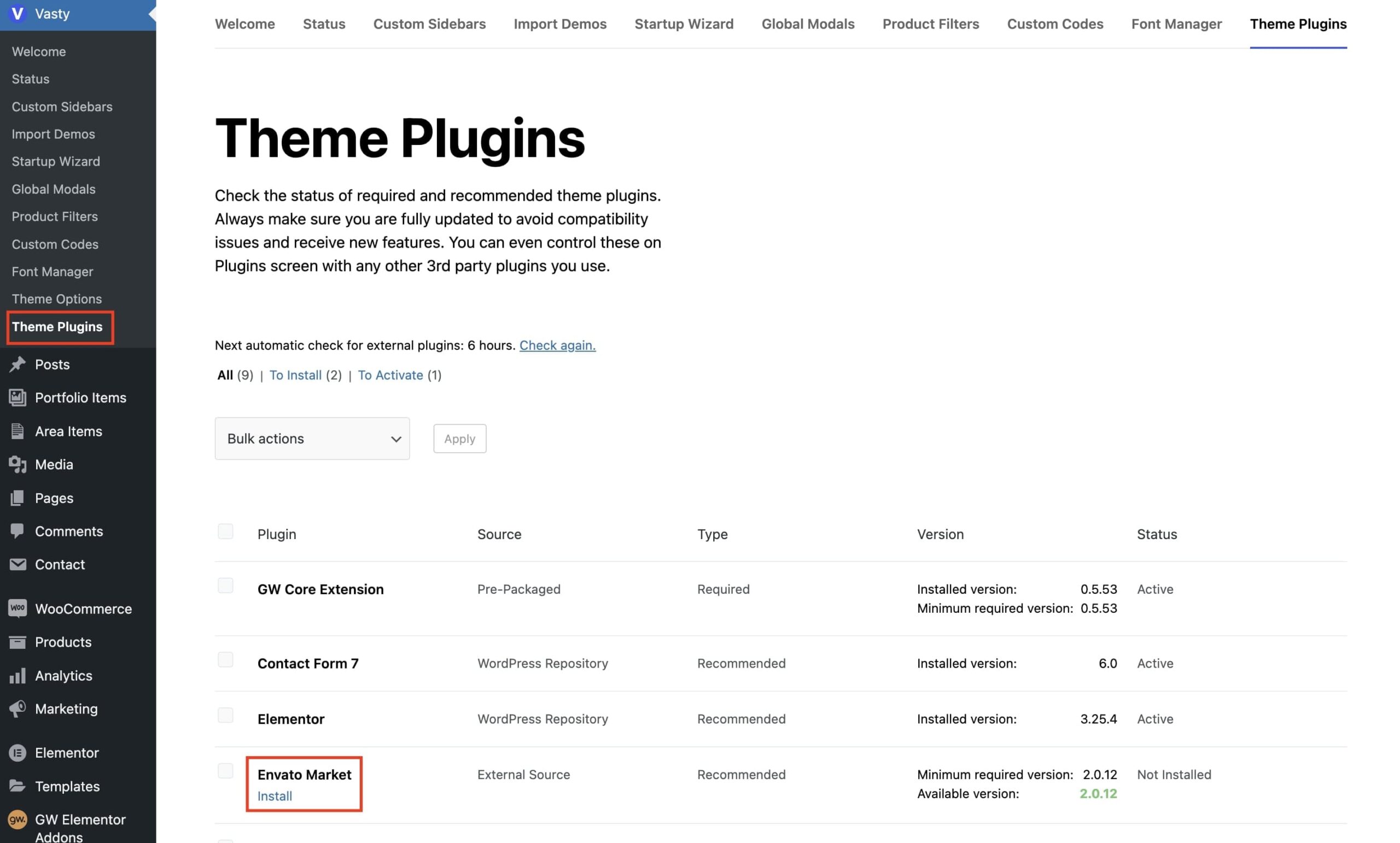
Now check this related article on how to set up and use the Envato Market plugin for automatic updates.
Alternative method
In WordPress, you can update a theme by uploading the new version under Appearance > Themes > Add New > Upload Theme. Select the latest release and click “Install Now”. You will need to select “Replace current with uploaded” and you’re ready.
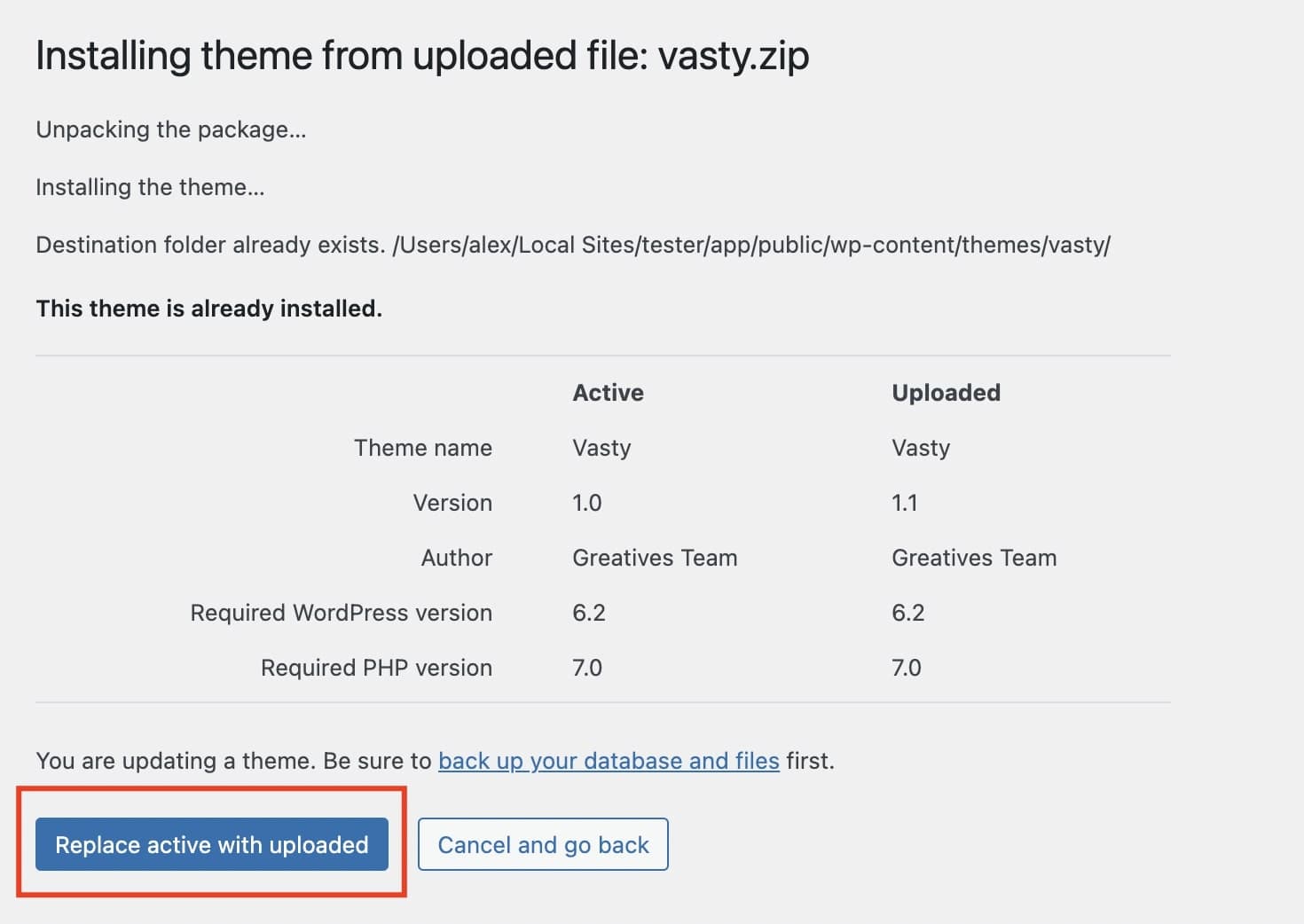
In case you prompt to update the required or used plugins
Don’t forget to update theme plugins after theme update and when needed.
- Click on Updating Plugins or go under Vasty > Theme Plugins (to see which of them need to be updated)
- Check these plugins and Update
- You’re ready to go!