
With Vasty, you can easily create a one-page site. To create such a site please do as follows.
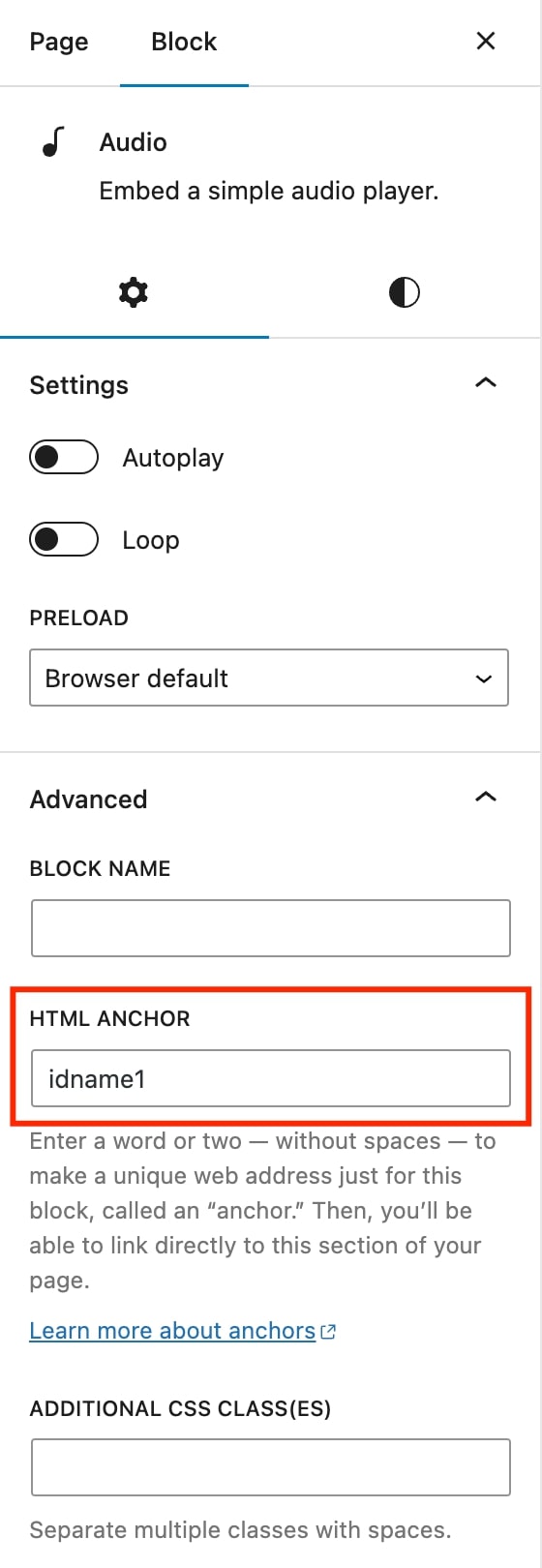
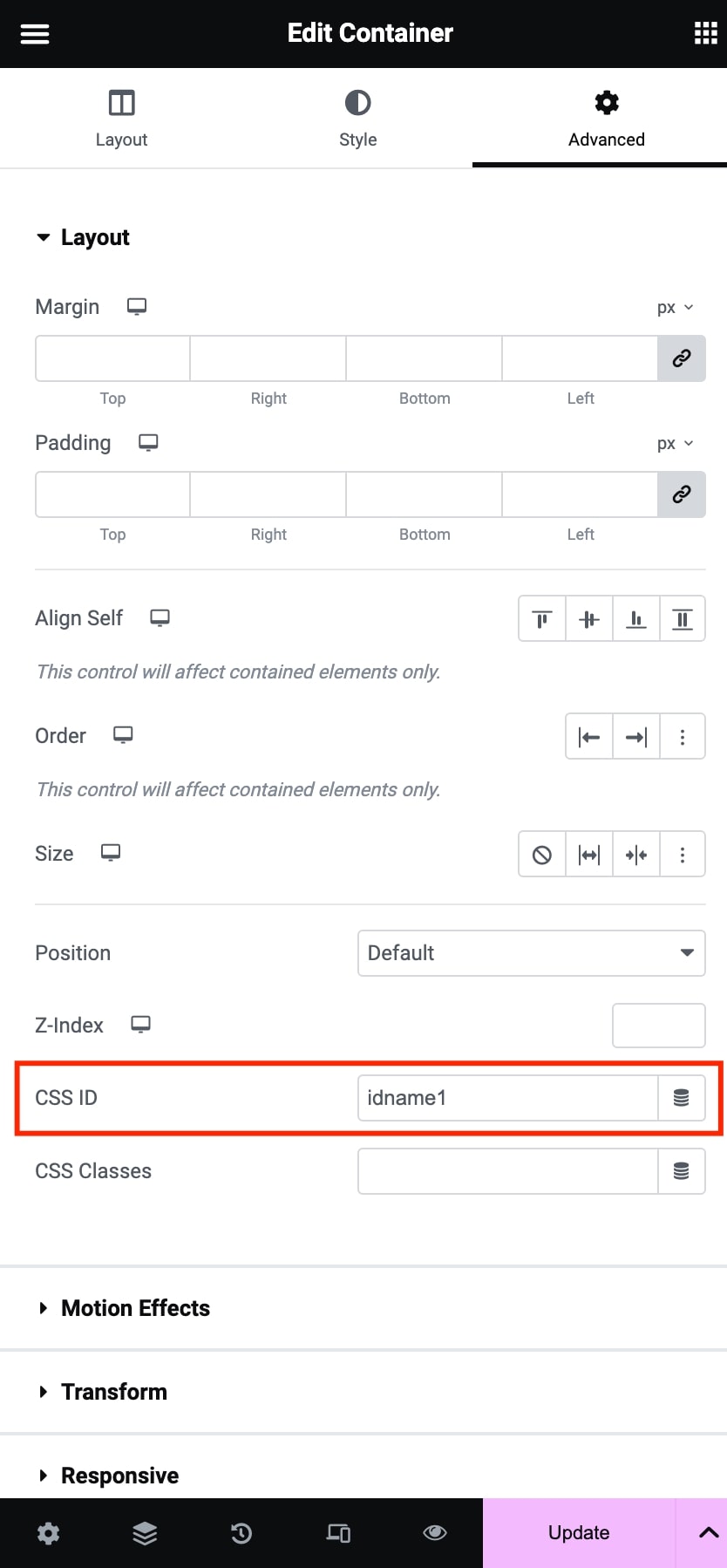
- Add an HTML anchor (e.g., idname1) in the Gutenberg Blocks you want to use in your menu. For Elementor, add a CSS ID in the Section settings, Advanced tab.
- Create a menu in the usual way (Appearance > Menus).
- Add as menu items the custom links you need using the CSS ID you created. For example, http://www.site.com/pagename/#idname1
- Save the menu and use it by selecting it from Appearance > Menus in the Header Position or from the Page Options > Header / Main Menu > Main Navigation Menu of a single page for using it in specific pages.
Set the Home Button in the One-Page version
You can set a home button (with the behavior of the back-to-top button) by creating a custom link with the following URL: #grve-goto-header.