Sidebar Position
First of all, you can define your default layout (full width, left or right) separately for pages, the posts page, and single posts via the option panel of Vasty. Notice that you can select your layout for pages, posts, and portfolios, independently in page options, post options, and portfolio options.
Widget Areas
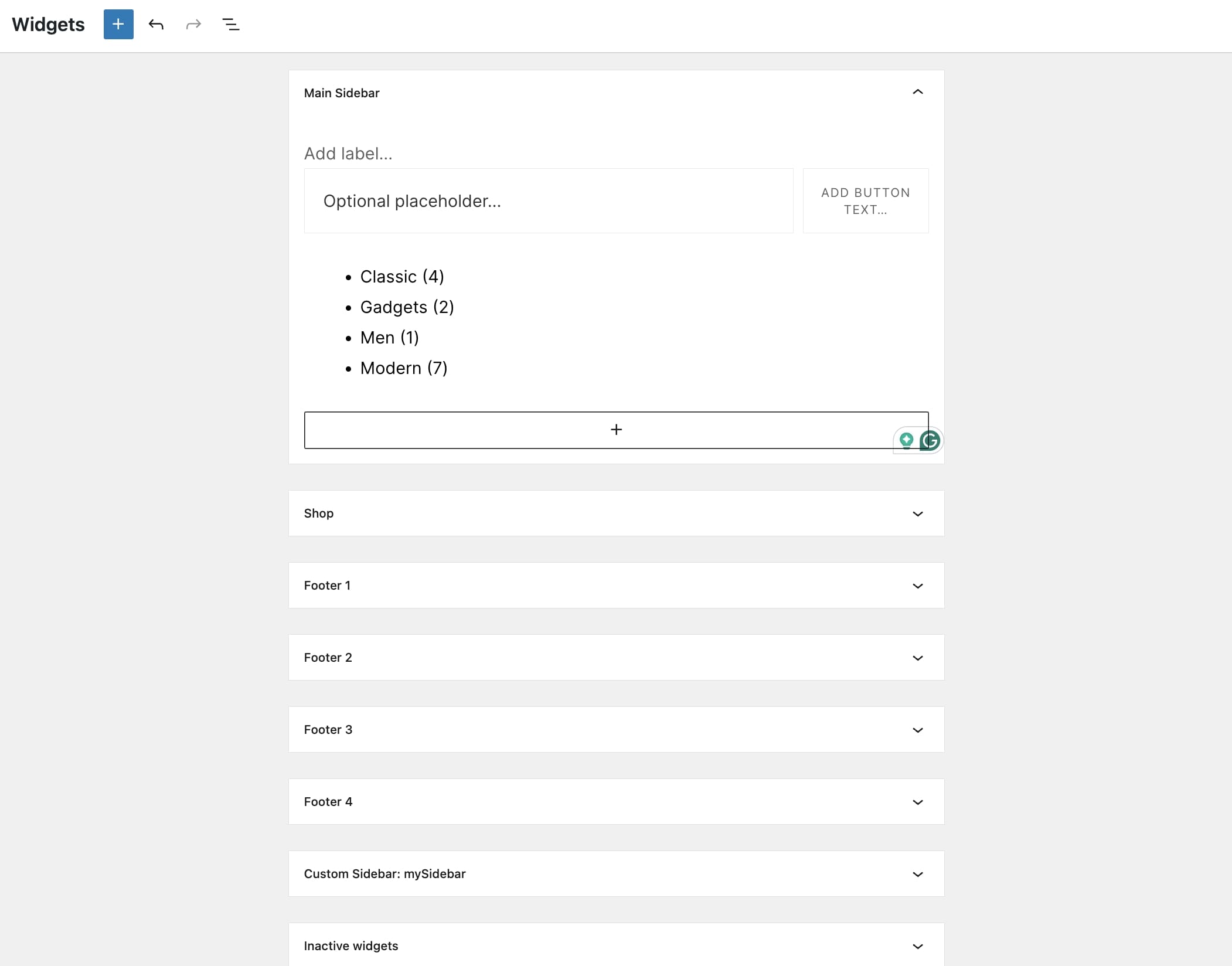
There are 4+2 predefined Widget Areas included in Vasty: These are four Footer Sidebars, the Main Sidebar, and the Shop Sidebar. You will find these under Appearance > Widgets.
Create custom Widget Areas
You also have the option to create your own sidebars:
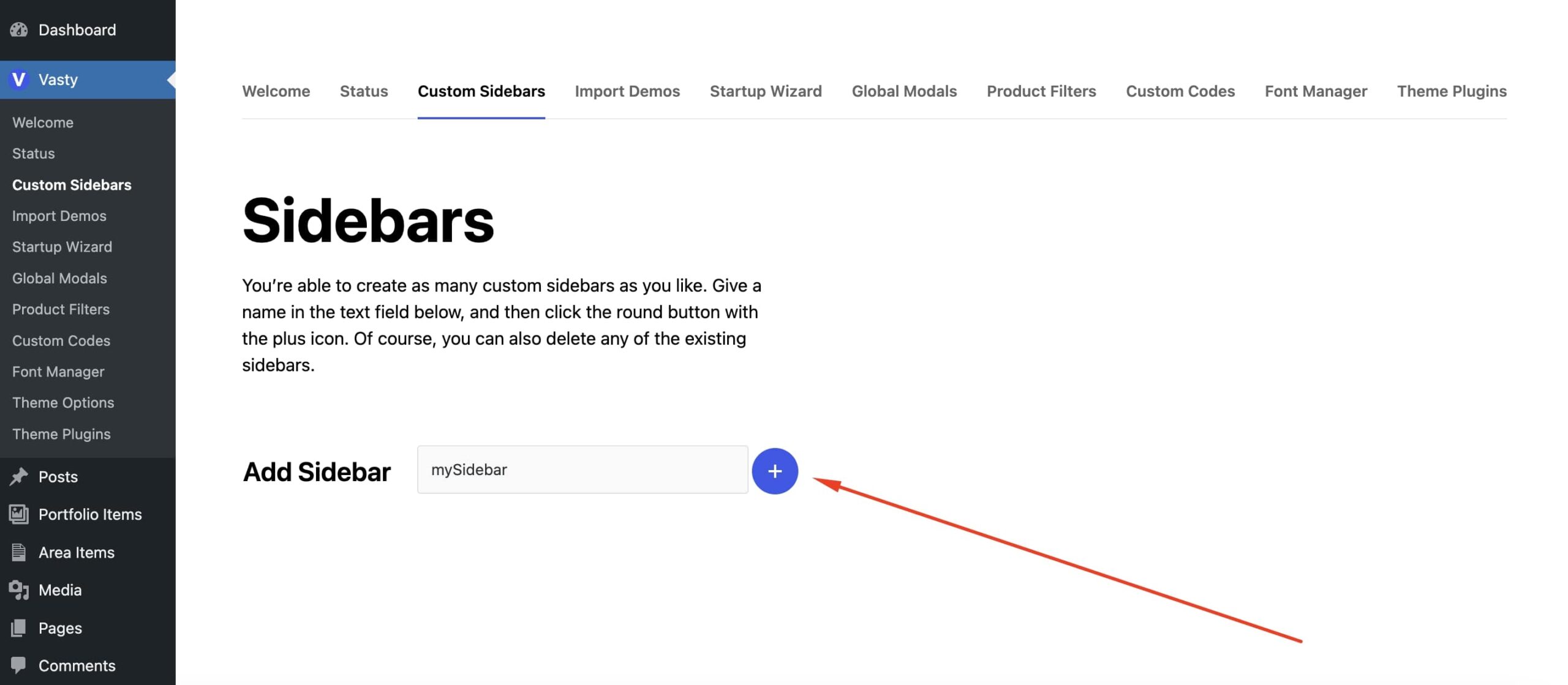
- Go to Vasty > Custom Sidebars
- Write a name for the widget area and click the Add button
The new widget is ready! Now you can go to Appearance > Widgets to add widgets in your sidebar.